Windows 10 and 11 · Microsoft Store

Billing Software for Windows PC

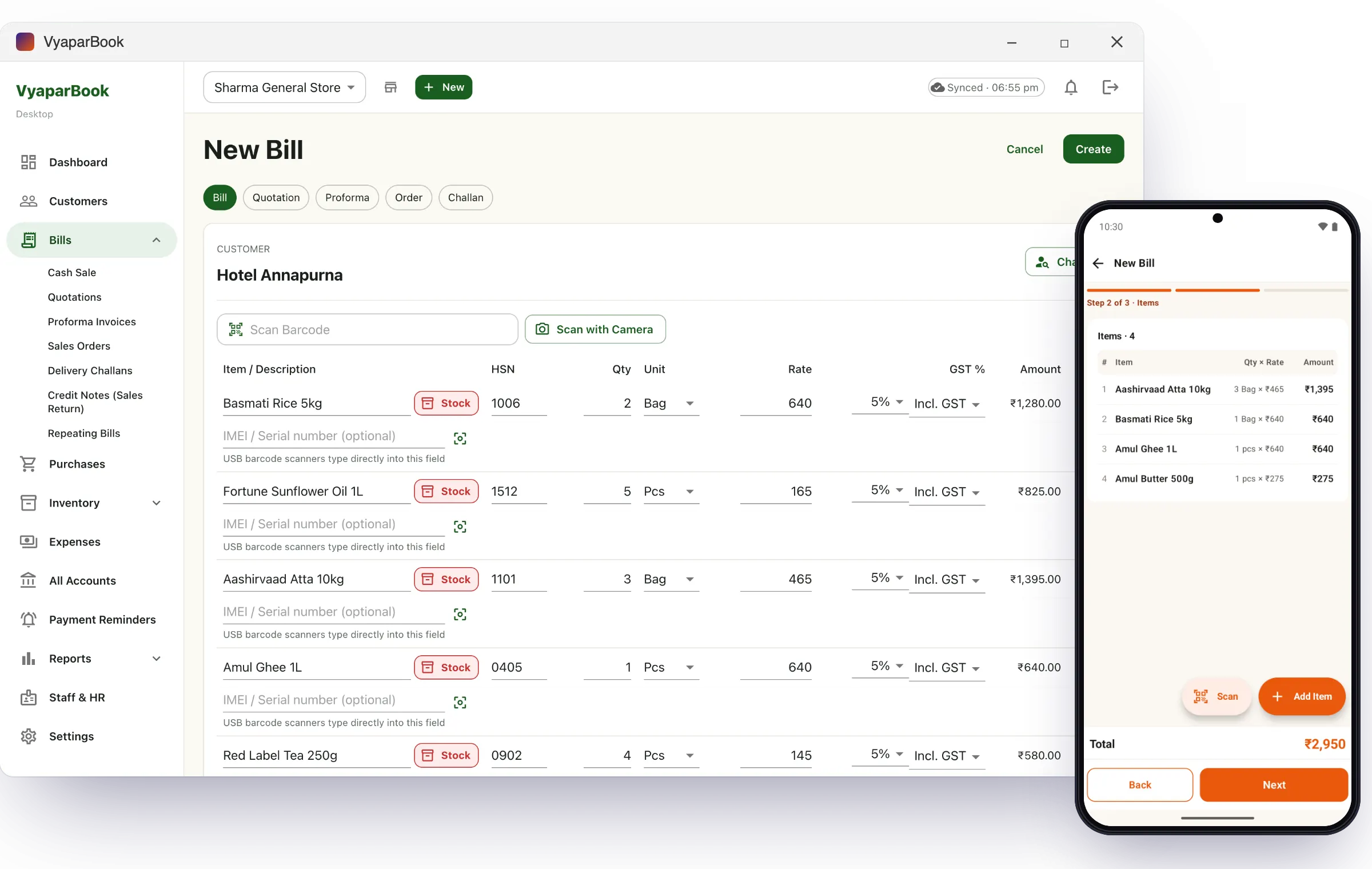
Run your counter on the shop computer: a big screen, keyboard shortcuts, barcode scanners and direct printing. It is the same VyaparBook account as the Android app — bill on the PC by day, check sales on your phone at night.

Free 14-day trial · Plans from ₹399/year for PC + mobile together

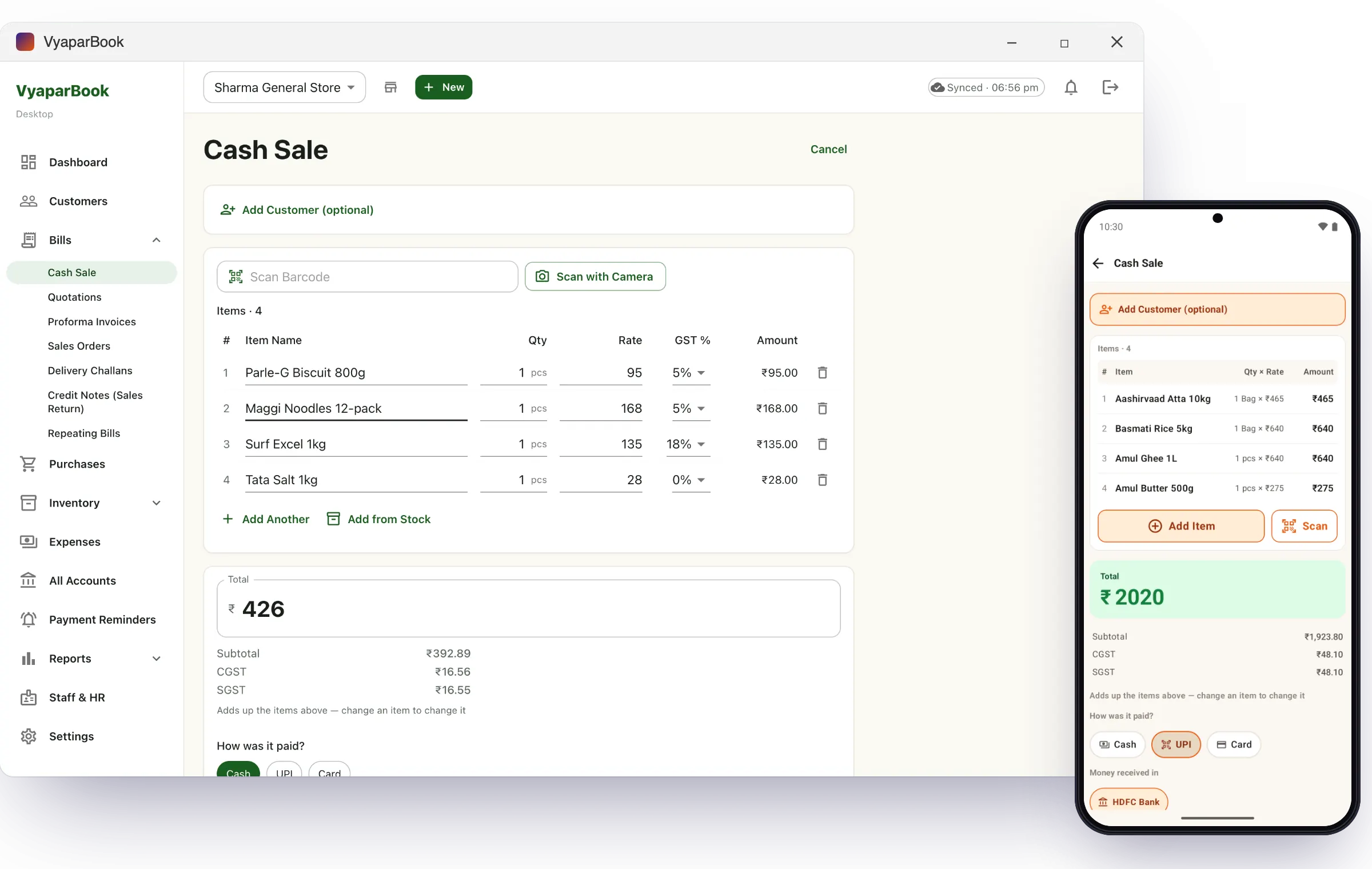
VyaparBook billing software for Windows PC making a GST bill
Counter speed

Keyboard and scanner friendly

Jump anywhere without the mouse, and let a USB barcode scanner type items straight into the bill.

Ctrl + NNew bill
Ctrl + KSearch anything
Ctrl + Shift + PReceive a payment
Ctrl + 1 … 7Dashboard, bills, parties, stock, expenses, accounts, reports
EnterSave a cash sale
Cash sale counter screen in the VyaparBook Windows app
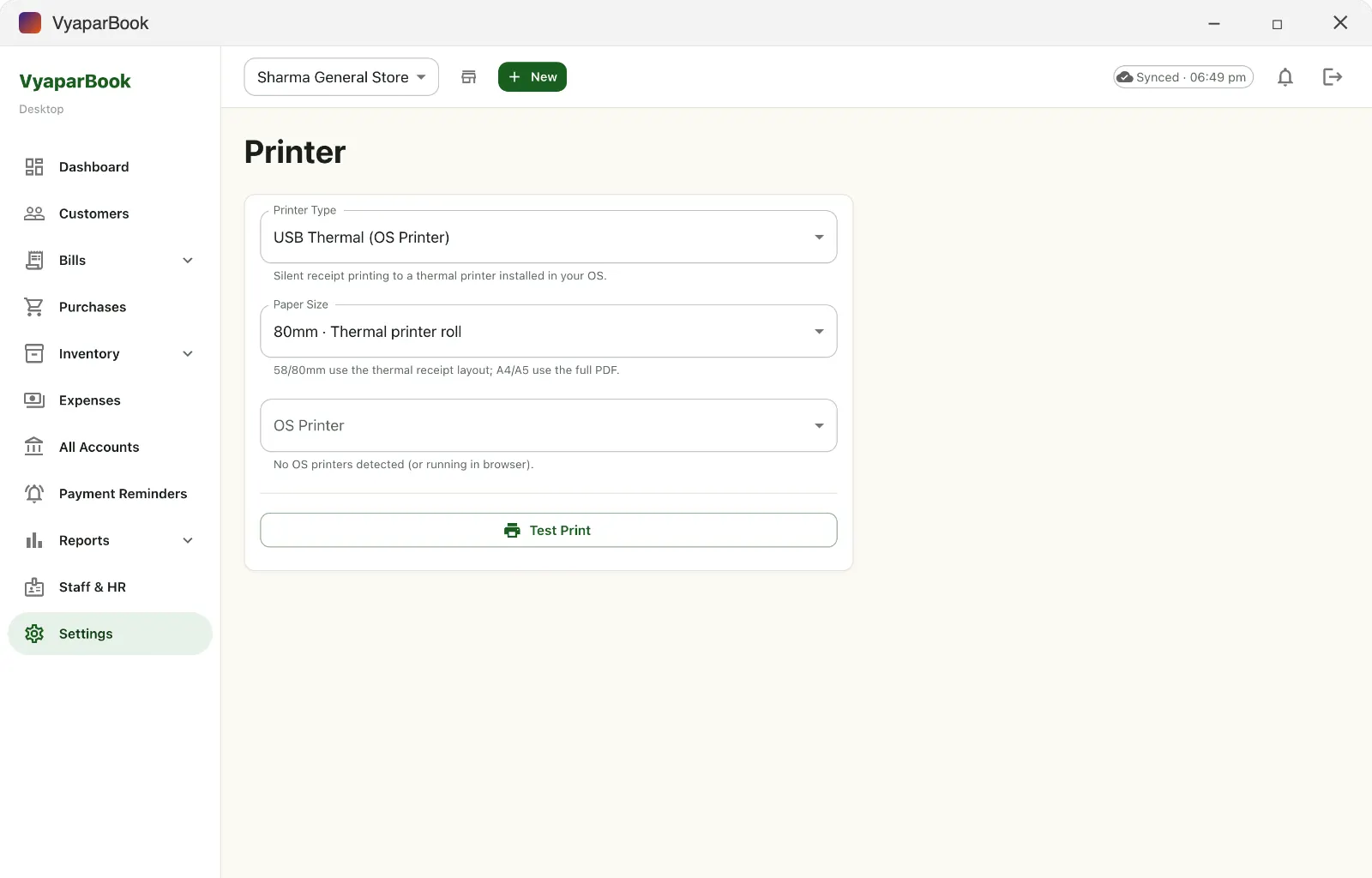
Printing

Direct printer connection

Print bills without hunting through dialogs: pick your printer once and VyaparBook prints straight to it.

  • USB thermal printers installed in Windows (58 mm and 80 mm)
  • Network / Wi-Fi thermal printers (ESC/POS on port 9100)
  • Any A4 or A5 printer, or save as PDF
  • Barcode price labels
Printer settings for thermal and A4 printing in VyaparBook for Windows
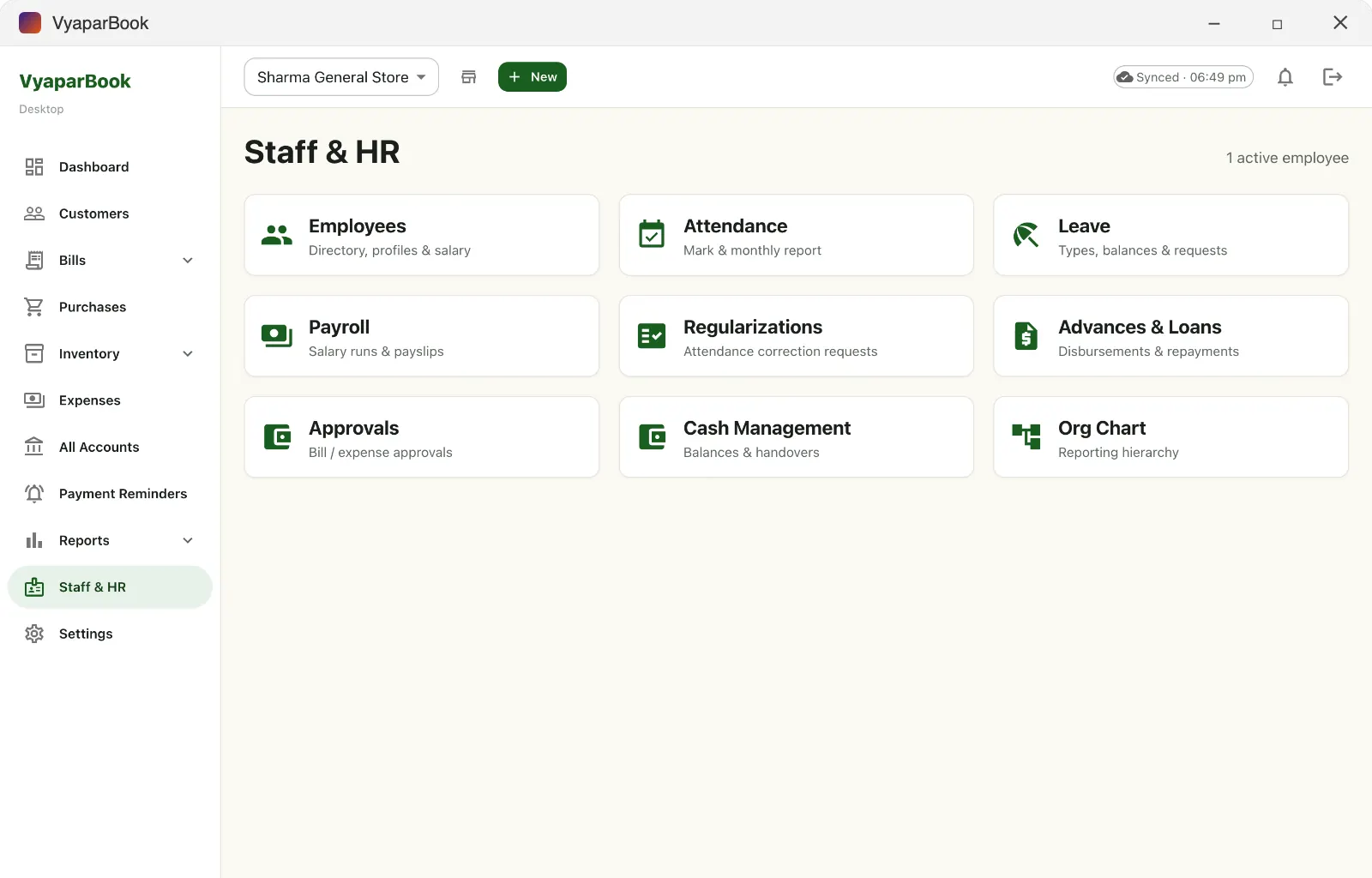
Staff and HR

Staff, attendance and payroll

Staff sign in to their own portal to make bills and mark attendance. You approve leave and expenses, run payroll and download salary bank files — all on the PC app.

  • Every bill recorded against the staff member who made it
  • Attendance, leave, advances and approvals
  • Payroll with statutory reports
Staff and HR screen with payroll and attendance in VyaparBook for Windows
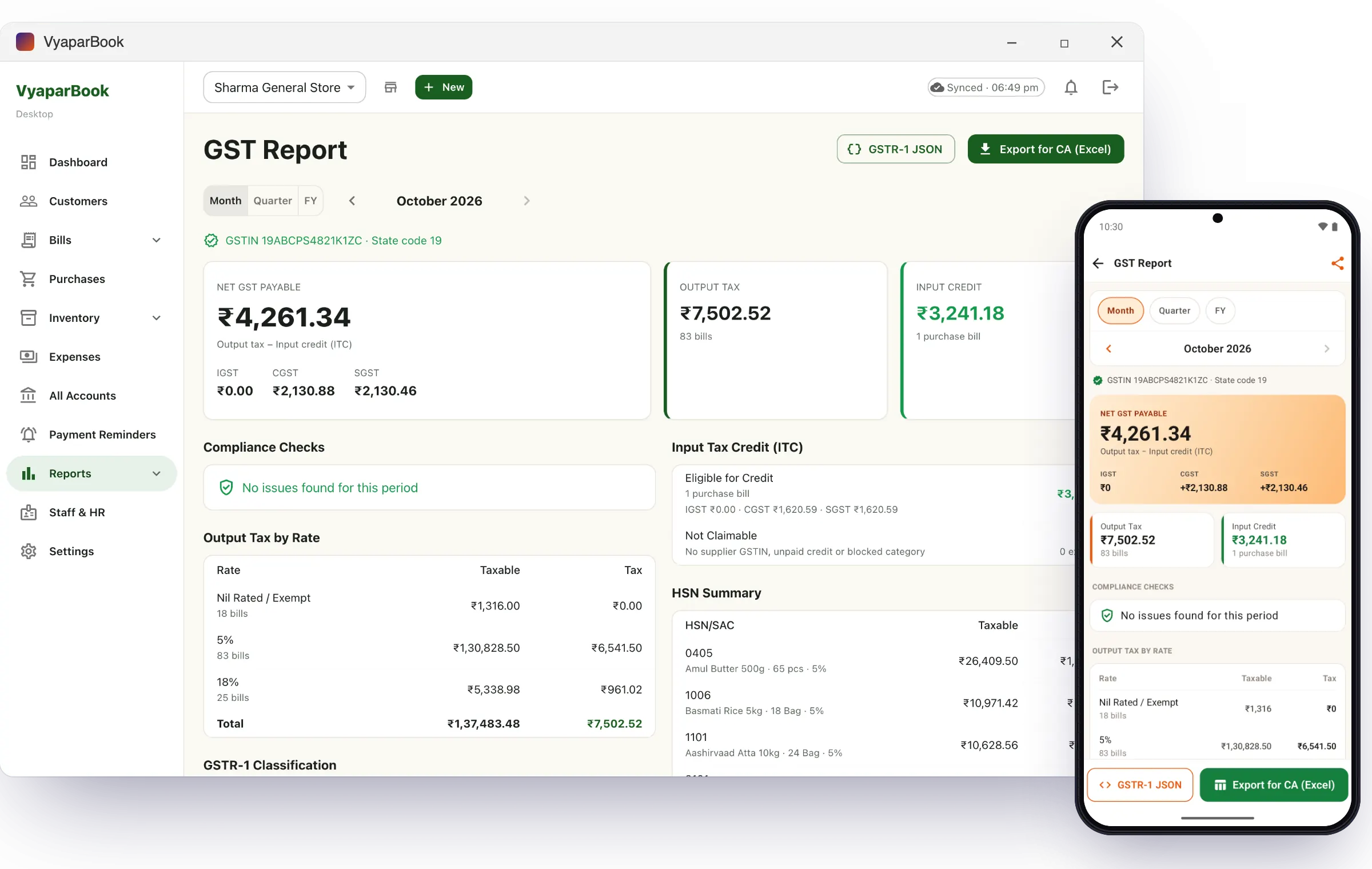
Accounts

Reports on a big screen

GST report with Excel and GSTR-1 JSON export, Profit & Loss, Balance Sheet, Trial Balance, Day Book, cash flow and bank reconciliation.

GST report in VyaparBook for Windows and Android

System requirements

  • Windows 10 (version 1809 or later) or Windows 11
  • Install from the Microsoft Store — updates arrive automatically
  • Internet to sync; bills made while offline are sent when you reconnect
  • Account the same mobile number you use on the Android app

Make your first bill today

Free for 14 days. No credit card. Same account on PC and phone.